Pin Codes: How to Easily Remember and Store Them Safely
The SaferPin is a Free Tool for any person who wants to keep his/her PINs in a secure and never-to-forget way. See how it works below.
Master Password:
?At least 6 characters, better more than 10. Don't write it or show to anybody. It is TOP SECRET! Keep it in your memory only!
Real Pin:
?Enter the pin that you want to protect. For example, credit card pin, metal safe or door lock code, etc. At least 4 digits.
Protected Pin:
Pin copied to clipboard OK!
Clipboard cleared OK!
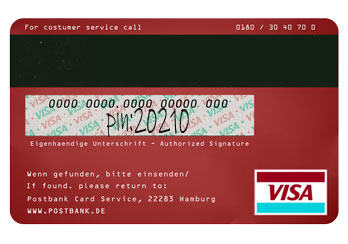
With this utility, you can safely store your pins like this:
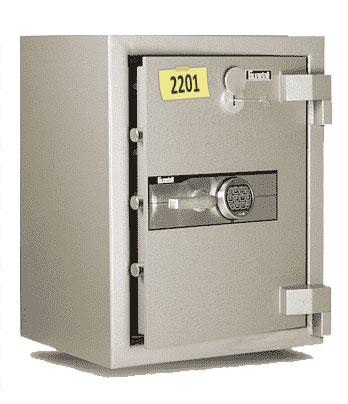
Or, like this:
Advantages:
it is totally free-of-charge;
it is based on open source verified cryptographic systems such as SHA1;
it does NOT send ANY data or PINs to our server; *
it can be used in the off-line mode;
it does NOT save ANY data into your computer files, including cookies etc.;
it is fully open-source and based on Javascript: anybody can check the code.
* Notice! A logged-in user may choose to save a hash of his/her Master Password in the Account for a convenient automatic check. In this case, as the Master Password is typed in, an abbreviated SHA1 hash of the Master Password can be sent to our server to check if the entered password is correct.